



DATA & ICT · SHORT COURSE
Windows Server, Virtualisation and Enterprise Storage Administration.
This practical course equips IT professionals, system administrators, network administrators, ICT officers, and infrastructure specialists with the knowledge and hands-on skills required to deploy, configure, manage, secure, and troubleshoot Windows Server environments, virtualised infrastructure, and enterprise storage systems.
 Ask on WhatsAppApplications are reviewed before a place is confirmed. We reply within 1 working day.
OVERVIEW
About this course.
This practical course equips IT professionals, system administrators, network administrators, ICT officers, and infrastructure specialists with the knowledge and hands-on skills required to deploy, configure, manage, secure, and troubleshoot Windows Server environments, virtualised infrastructure, and enterprise storage systems.
Participants will gain practical experience in Windows Server administration, Active Directory, DNS, DHCP, Group Policy, user and resource management, server security, virtualisation technologies, and enterprise storage concepts. The course also covers the design and administration of virtual machines, storage allocation, backup and recovery, high availability, and infrastructure monitoring.
Through guided laboratory exercises, realistic enterprise scenarios, troubleshooting activities, and practical case studies, participants will develop the skills required to manage reliable, secure, scalable, and highly available server and storage infrastructure within modern organisations.
COURSE CONTENT
What the programme covers.
01 Windows Server Architecture and Administration
- Introduction to Windows Server and enterprise server environments
- Windows Server editions, roles, and features
- Server installation and deployment
- Server configuration and administration
- Server Manager and Windows Admin Center
- Server Core and Desktop Experience
- Local users, groups, and permissions
- File and folder management
- Windows Server networking fundamentals
- PowerShell for Windows Server administration
- Windows Server monitoring and performance management
02 Active Directory Domain Services
- Introduction to Active Directory Domain Services (AD DS)
- Domain, forest, tree, and organizational unit concepts
- Installing and configuring domain controllers
- Creating and managing users, groups, and computers
- Organizational Units and delegation of administration
- Group types and group membership management
- Active Directory security and permissions
- Domain joining and computer management
- Active Directory replication concepts
- Active Directory troubleshooting
- Best practices for enterprise directory services
03 DNS, DHCP and Network Services
- DNS concepts and Windows Server DNS
- Installing and configuring DNS
- DNS zones and records
- Forward and reverse lookup zones
- DNS troubleshooting and diagnostics
- DHCP concepts and architecture
- Installing and configuring DHCP Server
- DHCP scopes, reservations, and options
- DHCP failover
- IP address management
- Integrating DNS and DHCP in enterprise environments
04 Group Policy and Windows Server Security
- Introduction to Group Policy
- Creating and managing Group Policy Objects (GPOs)
- User and computer configuration policies
- Security policies and access control
- Password and account policies
- Software deployment through Group Policy
- Windows Firewall configuration
- User rights and security settings
- Restricting access to system resources
- Auditing and security event monitoring
- Windows Server hardening
- Common server security threats and mitigation
05 File Services and Enterprise Resource Management
- Windows file server architecture
- NTFS and share permissions
- Permission inheritance and access control
- File Server Resource Manager (FSRM)
- Storage quotas and file screening
- Distributed File System (DFS)
- DFS Namespace and DFS Replication
- Managing shared folders and enterprise file services
- Access-based enumeration
- File services security and auditing
- Enterprise file server troubleshooting
06 Server Virtualisation and Hyper-V Administration
- Introduction to server virtualisation
- Virtualisation concepts and architectures
- Hyper-V architecture and components
- Installing and configuring Hyper-V
- Creating and configuring virtual machines
- Virtual CPUs, memory, disks, and network adapters
- Virtual switches and network configuration
- Virtual machine storage management
- Virtual machine checkpoints
- Virtual machine export, import, and migration
- Dynamic Memory and resource allocation
- Hyper-V monitoring and troubleshooting
- Virtualisation security and best practices
07 Enterprise Storage Administration
- Introduction to enterprise storage systems
- DAS, NAS, and SAN architectures
- HDD, SSD, and enterprise storage technologies
- RAID concepts and configurations
- Storage pools and logical storage
- Storage Spaces and Storage Spaces Direct
- iSCSI and Fibre Channel concepts
- Configuring and managing iSCSI storage
- Storage provisioning and capacity management
- Storage performance monitoring
- Storage redundancy and fault tolerance
- Enterprise storage security
- Storage troubleshooting and performance optimisation
08 Backup, Disaster Recovery and High Availability
- Backup and recovery concepts
- Windows Server Backup
- Full, incremental, and differential backups
- Backup planning and retention strategies
- File and system recovery
- Bare-metal recovery
- Disaster recovery planning
- Recovery Point Objective (RPO) and Recovery Time Objective (RTO)
- Failover and redundancy concepts
- Windows Server Failover Clustering
- Hyper-V high availability
- Business continuity planning
- Testing and validating disaster recovery procedures
09 Windows Server Monitoring, Troubleshooting and Performance Optimisation
- Windows Server monitoring techniques
- Event Viewer and Windows logs
- Performance Monitor and Resource Monitor
- CPU, memory, disk, and network performance analysis
- PowerShell troubleshooting
- Diagnosing Active Directory problems
- DNS and DHCP troubleshooting
- Virtual machine performance troubleshooting
- Storage performance and capacity troubleshooting
- Identifying and resolving common server failures
- Performance optimisation and preventive maintenance
- Developing server monitoring and maintenance procedures
· Practical Enterprise Infrastructure Deployment
- Designing a Windows Server enterprise environment
- Deploying domain controllers and Active Directory
- Configuring DNS and DHCP services
- Implementing Group Policy and security controls
- Deploying Windows file services
- Creating and managing Hyper-V virtual machines
- Configuring virtual networks and storage
- Implementing enterprise storage solutions
- Configuring backup and recovery
- Monitoring and troubleshooting the infrastructure
- Enterprise infrastructure case study
- Development of a server and infrastructure administration plan
WHO IT'S FOR
Who should attend.
This course is designed for:
- System administrators
- Windows Server administrators
- Network administrators
- ICT officers and ICT managers
- IT infrastructure administrators
- IT support specialists
- Server and data centre technicians
- Cloud and virtualisation administrators
- Storage administrators
- Database administrators
- Cybersecurity professionals
- Network and infrastructure engineers
- Technical support engineers
- Systems engineers
- IT operations professionals
- Data centre professionals
- ICT managers and infrastructure decision-makers
- Professionals responsible for enterprise IT infrastructure
Suitable Sectors
The course is particularly relevant to government ministries, departments and agencies, local government authorities, banks and financial institutions, telecommunications companies, universities and educational institutions, hospitals and healthcare organisations, NGOs, development organisations, corporate enterprises, data centres, technology companies, and other organisations that operate Windows Server, virtualised, and enterprise storage infrastructure.
AFTER YOU APPLY
What happens next.
BEFORE YOU APPLY
Practical information.
- Venue
- Arusha, Tanzania
- Daily hours
- 8:30 AM – 4:30 PM
- Course fee
- TZS 1,300,000 · per participant
- Fee includes
- Course materials, lunch and refreshments
- VAT
- Fee excludes VAT
- Certificate
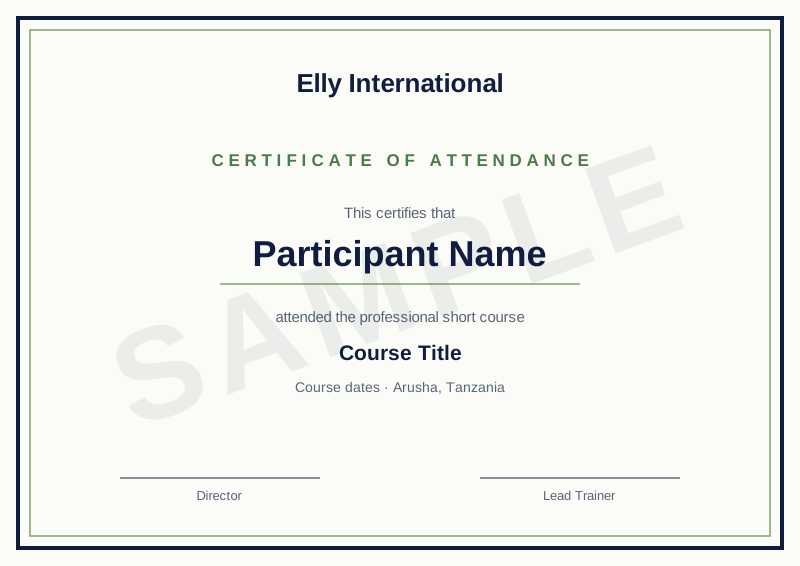
- Certificate of attendance
- Trainer
- Elly International training team
We send payment details only after your place is confirmed, and only from an @ellyinternational.co.tz email address. We will not ask you to pay into a personal account. If you are unsure, call us on +255 757 066 880 before paying.
More answers in our FAQ and booking and cancellation policy.